Learning how to build a gaming PC for beginners can feel intimidating, but it is mostly a careful assembly job, not an engineering project. Modern parts are designed to fit in only one correct way, and a little planning prevents most mistakes. This guide walks you through choosing compatible parts, preparing a clean workspace, and putting everything together in a sensible order. By the end, you will understand what each part does and why it matters for gaming performance.
For more PC help, visit the Techvera homepage, and for help choosing memory, read How Much RAM Do You Need for Gaming in 2026?. For official compatibility checks, use the parts tools at PCPartPicker before you buy.
1. How to Build a Gaming PC for Beginners: Plan Before You Buy
When you plan how to build a gaming PC for beginners, start with your budget and the games you actually play. A player who mainly plays esports titles at 1080p does not need the same graphics card as someone chasing 4K ray tracing. Set a total budget first, then reserve money for the monitor, keyboard, and mouse if you do not already own them. A balanced build is better than a powerful graphics card paired with a weak processor or slow storage.
Compatibility is the most important planning step. The processor must match the motherboard socket, the motherboard must support your RAM type, and the power supply must have enough wattage and the right cables. The case must fit your graphics card length and cooler height. Use a compatibility tool, read the motherboard manual, and double-check measurements before ordering. Spending an extra hour here can save days of returns and frustration.
2. How to Build a Gaming PC for Beginners by Choosing the Core Parts
The processor, graphics card, motherboard, RAM, storage, and power supply form the core of your build. The graphics card usually has the biggest effect on gaming frame rates, while the processor handles game logic, physics, and background tasks. For most beginners, 16 GB of RAM is a solid starting point, and a fast NVMe SSD will make Windows and games load much quicker than an old hard drive.
Do not overspend on features you will not use. A mid-range motherboard with the ports you need is often better value than a premium board with extra slots you may never fill. Likewise, a reliable power supply from a known brand is worth its price, because it protects every other part. Look for good reviews, a reasonable warranty, and enough headroom for future upgrades, usually about 100 to 150 watts above your estimated load.
3. How to Build a Gaming PC for Beginners: Prepare Your Workspace
Before you open any boxes, prepare a clean, flat surface with good light. Work on a non-carpeted floor if possible, and touch a metal part of the case often to reduce static. Keep screws in small bowls, keep manuals nearby, and do not force any connector. Most parts use a notched design, so if a plug does not fit, check its orientation rather than pushing harder.
You need only a few basic tools, usually a Phillips screwdriver, cable ties, and a pair of scissors. A magnetic screwdriver tray helps, but it is not essential. Unbox parts one at a time and place them on their anti-static bags until needed. Avoid touching the gold contacts on RAM, graphics cards, and processors, and hold boards by their edges.
4. Step-by-Step Assembly in the Right Order
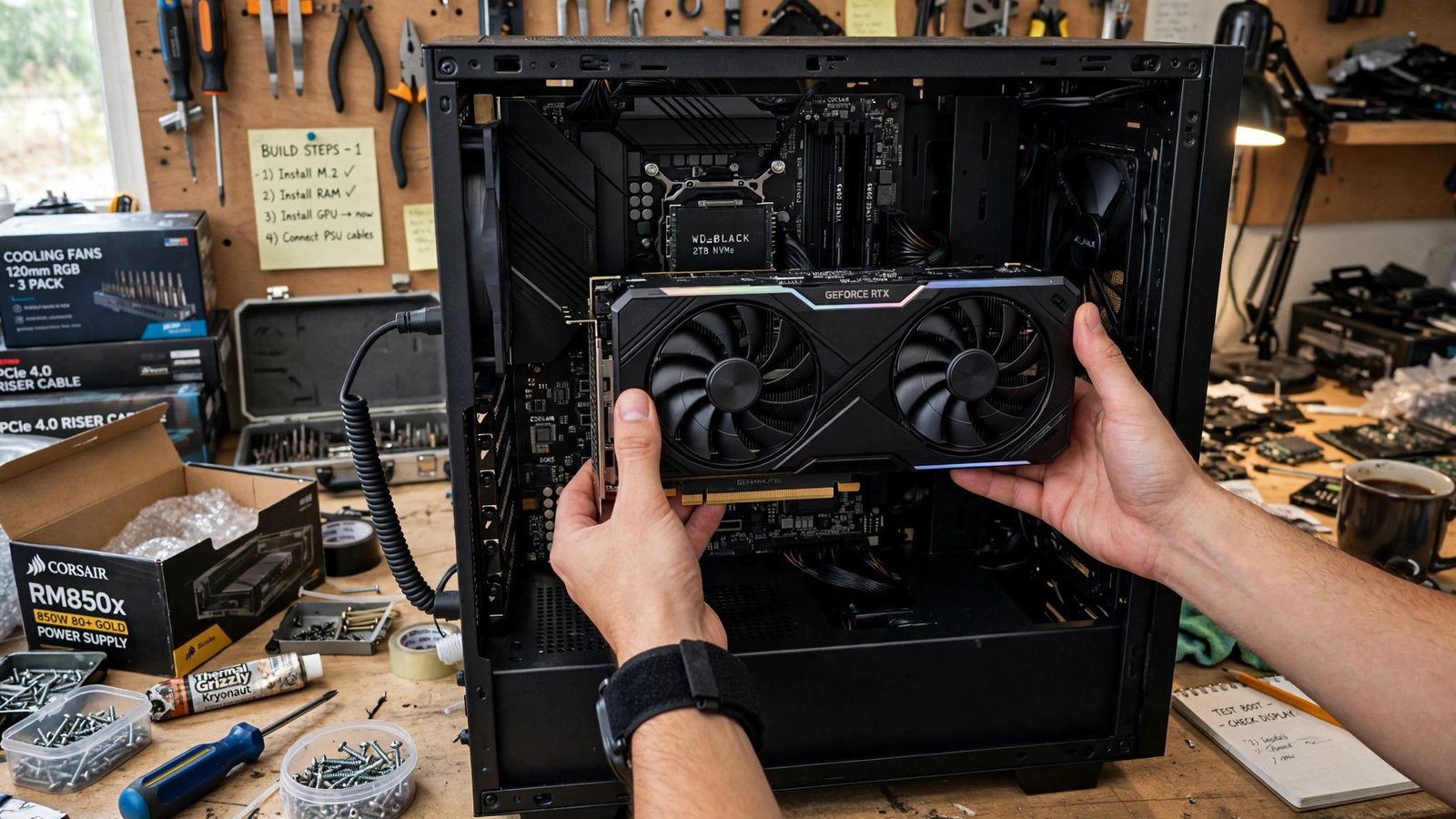
A simple assembly order makes the job easier. Start by installing the processor, RAM, and cooler on the motherboard outside the case, then install the motherboard standoffs and board into the case. Next, install the power supply, storage drives, and graphics card, then connect power and data cables. Finally, connect the case front-panel cables, check every plug, and do a first power test before closing the side panel.
Take care with the processor: lift the retention arm, align the triangle markers, and lower it gently without pressing down. RAM clicks into place only when both ends are seated, and the graphics card should click into its slot and be secured with a screw or bracket. Cable management matters for airflow, so route cables behind the motherboard tray where possible and keep them away from fans.
5. First Boot, BIOS, and Installing Windows
On first boot, enter the BIOS or UEFI to check that all RAM, storage, and fans are detected. Enable the RAM speed profile, usually called XMP or EXPO, so your memory runs at its rated speed. Check temperatures, set a sensible fan curve, and make sure the boot order points to your installation drive. If nothing appears on screen, check the monitor cable, graphics card seating, and power cables before assuming a part is faulty.
Install Windows from a USB drive, then install motherboard and graphics drivers from the manufacturers’ websites rather than relying only on old discs or generic drivers. Update Windows, install your game launcher, and run a short stress test to check stability and temperatures. If the system crashes under load, check cooling, power connections, and driver versions in that order.
6. Common Beginner Mistakes and How to Avoid Them
The most common mistakes are forgetting the power supply switch, plugging the monitor into the motherboard instead of the graphics card, and leaving a power cable loose. Another frequent error is installing RAM in the wrong slots, which can reduce performance. Check your motherboard manual for the recommended slots, usually the second and fourth from the processor. Finally, do not skip the first-boot test with the case open: it is much easier to fix a loose cable before all panels are fitted.
Frequently Asked Questions
How long does it take to build a gaming PC for beginners?
Most first builds take three to five hours, including planning and cable management. Do not rush the processor, cooler, and cable steps, and keep the manuals nearby.
Is building a PC cheaper than buying a prebuilt PC?
It can be, especially if you choose parts carefully and reuse a monitor and peripherals. The bigger benefit is control over quality, upgrade paths, and cooling.
Do I need an anti-static wrist strap?
It is helpful but not essential for most home builds. Work on a hard surface, touch the case often, and avoid building on carpet in dry conditions.
What should I upgrade first later?
For most gamers, the graphics card or storage gives the clearest gain. Check your current bottleneck with a monitoring tool before spending money.
Conclusion
Knowing how to build a gaming PC for beginners is really about planning, patience, and following a clear order. Choose compatible parts, prepare a clean workspace, install components carefully, and test before you close the case. Your first build may feel slow, but the result is a machine you understand, can upgrade, and can fix with confidence. Take your time, double-check each step, and enjoy the first game on a PC you built yourself.
About the Author